

Choose the right connection
Open Apps → Teams. Microsoft sign-in is for a work or school account and requests profile and presence permissions; your organization may require administrator approval. Teams Connector is a separate browser extension for personal Teams sessions. The Slack & ClickUp connector does not create a personal Teams code.
Teams Connector has passed bounded tests on personal test accounts. That does not establish unlimited coverage or compatibility with every Microsoft account, so check the reported status after you connect. The guide to keeping Teams Available covers what can still change it, such as a meeting or the phone app.
Install, copy and connect
Add OnlineHours Teams Connector to Chrome from its Chrome Web Store listing; the Teams Connector download page links to it. It is free and separate from the Slack & ClickUp connector. When you first create a code, Chrome asks to allow access to teams.live.com and presence.teams.live.com.
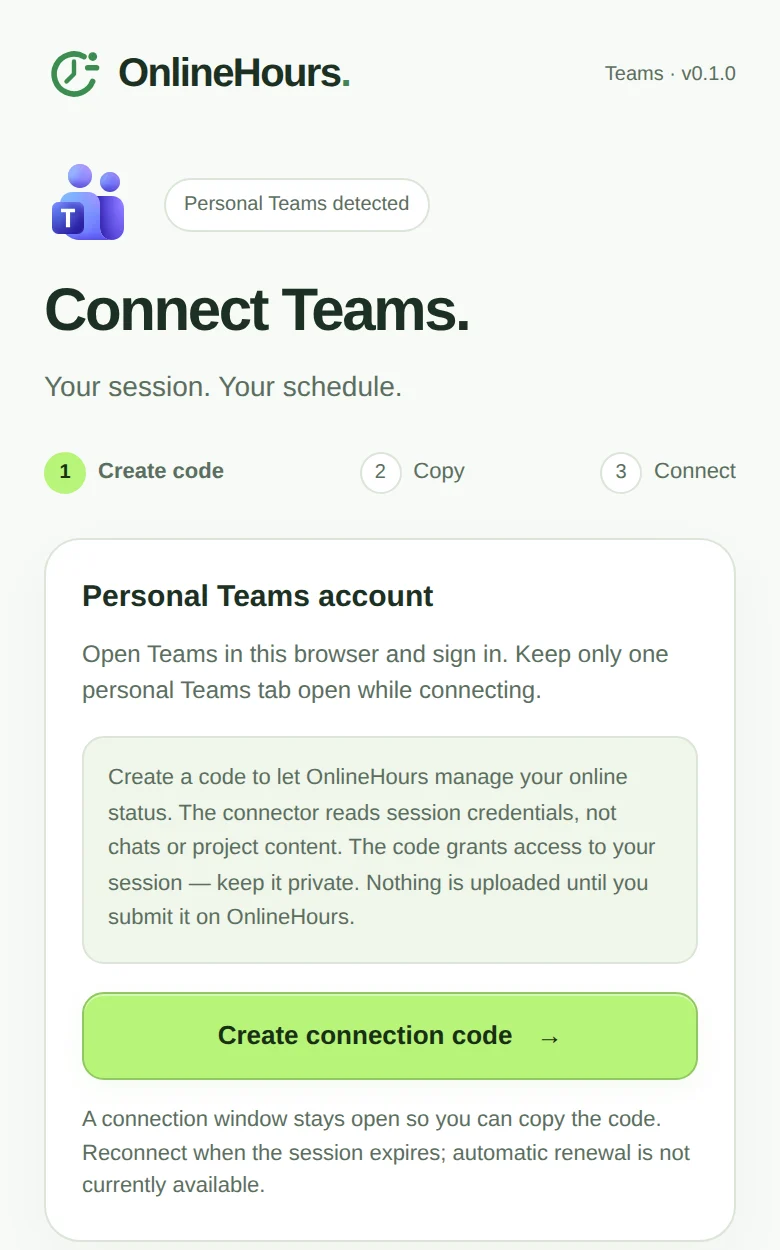
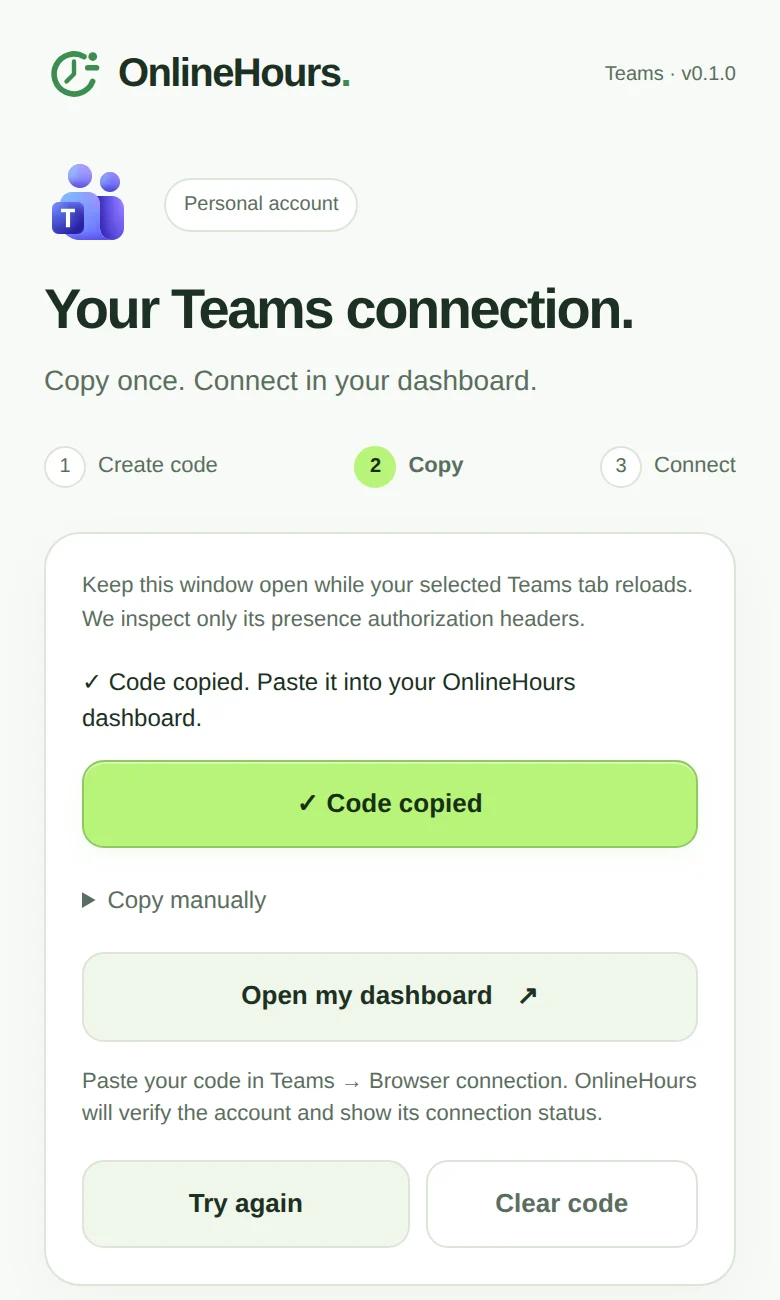
Sign into your personal Teams at teams.live.com in Chrome and keep only one personal Teams tab open. Click the connector, choose Create connection code and wait in the connection window that opens; it shows Code copied, with a manual-copy field if your browser cannot write to the clipboard. Choose Open my dashboard, then Apps → Teams → Teams Connector → Paste Teams code. OnlineHours checks the account before saving it. Keep the code private; never send it to support.
Start, check and stop
The connection starts paused. Choose Start now or save your hours and choose Schedule. The dashboard reports observed Teams status separately from your requested schedule, so also check what colleagues see. Other clients and manually selected states can affect the visible result; why Teams switches to Away lists the usual causes.
Stop ends further activity and asks the server to release its session. Disconnect keeps the card visible while cleanup is pending. It does not sign you out of Teams in your own browser.
Session expiry is part of this method
The dashboard shows the imported session’s expiry time. This method does not automatically renew the Microsoft session. Reconnect with a fresh code from the same personal account when needed. Your saved hours remain, and the renewed connection starts paused.
There is no fixed four-hour or 24/7 guarantee. The code’s lifetime, Microsoft responses and the actual observed status determine usable coverage. The Check status button reads the current state; it does not extend the token or bypass Microsoft restrictions.
Disconnecting clears the server presence session before deleting its encrypted credential. While cleanup is pending, the connection stays visible. If it expires first, use a fresh code from the same account to finish cleanup without restarting. See Privacy for the stored fields and retention details.
Connect personal Teams in about a minute
Add the free Teams Connector, create a code at teams.live.com and paste it into Apps → Teams. OnlineHours then keeps you Available from its servers during your hours.
Teams Connector is free and needs no admin approval. Its session expires, and the dashboard tells you when to reconnect with a fresh code.
The extension is free. Scheduling starts with a 7-day trial for one app, no card.
Common questions
Do I need to install both connectors?
No. Install OnlineHours Teams Connector for a personal Teams session. Slack and ClickUp use the original OnlineHours Connector. Microsoft sign-in for work Teams needs no extension.
Is an organization policy the same as an expired session?
No. An expired or invalid session requires reconnection and is not evidence of Conditional Access Token Protection. A specific policy explanation requires a corresponding Microsoft diagnostic.
Does this get around administrator approval?
No. Teams Connector does not bypass work-account consent or organization policies. Use Microsoft sign-in for a work account and follow the requirements Microsoft displays.
Do the two methods have separate subscriptions?
Both belong to the Teams service and share its connection allowance. Choosing another method does not create additional free-trial slots.